
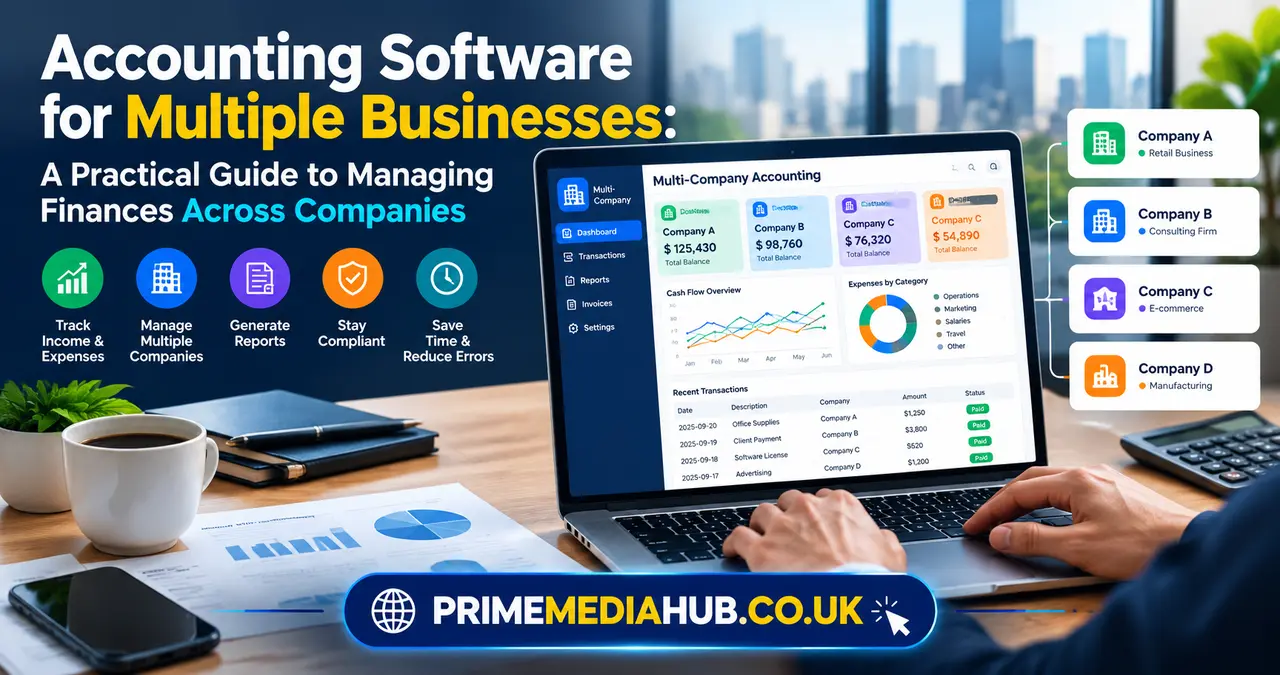
Running more than one business can be exciting, but managing the financial side of several companies at the same time can become complicated very quickly. Each business may have its own income, expenses, bank accounts, employees, customers, vendors, tax obligations, and financial goals. Trying to manage all of that with separate spreadsheets or disconnected accounting systems can create unnecessary work and make it harder to understand what is really happening across the businesses.
This is where Accounting Software for Multiple Businesses becomes especially useful. The right accounting platform can help business owners, accountants, finance teams, and entrepreneurs manage financial information for different companies without losing control of individual records. Instead of treating every business as an isolated project, a suitable system can provide a structured way to manage separate entities while making it easier to move between them.
The important thing is that not every accounting application designed for small businesses is automatically suitable for multiple companies. Multi-business accounting requires more than simply creating several profiles. You need proper entity separation, flexible reporting, secure access, tax support, bank reconciliation, expense tracking, and ideally a convenient way to switch between businesses.
This guide explains what to look for, how these systems work, what features matter most, common mistakes to avoid, and how to choose a solution that can support your businesses as they grow.
What Is Accounting Software for Multiple Businesses?
Accounting Software for Multiple Businesses is financial management software that allows one user or organization to manage the accounting records of more than one business or legal entity from a centralized environment. Each business can maintain its own financial information while the administrator or accountant can access multiple company accounts through the same platform.
The idea sounds simple, but there is an important distinction between managing multiple businesses and simply having multiple users. A multi-user accounting system lets several people work on one company’s books. Multi-business accounting, on the other hand, is designed to maintain separate books for different companies while providing convenient access from one overall system.
For example, imagine an entrepreneur who owns a digital marketing agency, an online store, and a property management company. These businesses may share the same owner, but their financial activities are completely different. The agency may have service revenue and contractor expenses, the store may have inventory and shipping costs, and the property company may have rental income and maintenance expenses.
A suitable accounting platform can keep those records separate while allowing the owner or accountant to manage them efficiently. This separation is essential because combining financial records from unrelated legal entities can create inaccurate reports, confusing tax records, and serious compliance problems.
Why Managing Multiple Businesses Can Become Difficult
Managing one business already requires regular attention to invoices, bills, payroll, taxes, cash flow, bank transactions, and financial reporting. When another business is added, the workload does not simply double in a neat and predictable way. Different businesses often have different accounting requirements, reporting periods, customers, suppliers, and transaction patterns.
A business owner may also find themselves logging into several applications, maintaining different spreadsheets, downloading statements from multiple banks, and manually transferring information between systems. Small administrative tasks can quickly consume hours that could otherwise be spent on sales, operations, product development, or strategic planning.
Another challenge is maintaining consistency. When different businesses are managed using different accounting methods or spreadsheet formats, it becomes harder to compare performance. One company might categorize marketing costs differently from another, while a third might use a completely different chart of accounts.
This is one reason Accounting Software for Multiple Businesses can make such a difference. A centralized system can provide a consistent workflow without requiring every company to be treated as though it has identical financial circumstances.
Keeping Business Finances Properly Separated
One of the most important principles of multi-business accounting is separation. Even if the same person owns several companies, the financial records of those companies should generally remain distinct when they are separate legal entities.
This means each business should have its own transactions, income records, expenses, assets, liabilities, and relevant tax information. A good accounting platform should make it difficult to accidentally record a transaction in the wrong company.
Proper separation also makes financial reporting much clearer. If you want to know how profitable one business is, you should not have to manually remove transactions belonging to another company from a combined spreadsheet.
Accounting Software for Multiple Businesses can help create this separation at the system level. Users can typically select the relevant business before entering or reviewing financial information, reducing the possibility of mixing transactions between entities.
However, software does not replace good accounting practices. Business owners should still maintain appropriate bank accounts, documentation, receipts, contracts, and other financial records for each entity.
Centralized Management Without Combining Everything
A common misunderstanding about multi-business accounting is that centralization means combining all financial information into one set of books. That is not what a properly designed system should do.
Centralized management means having a convenient place from which you can access separate businesses. The accounting records themselves should remain distinct when the businesses need separate books.
Think of it like a building with separate offices. The building gives you one location, but each office can still have its own files, employees, and activities. Similarly, a multi-business accounting platform can provide one login or administrative environment while maintaining individual accounting records for each company.
This approach is particularly useful for entrepreneurs who own several businesses or accounting professionals who manage books for multiple clients. It reduces the friction of moving between accounts without sacrificing the separation required for accurate accounting.
Essential Features to Look For
Choosing Accounting Software for Multiple Businesses requires looking beyond basic bookkeeping features. A platform may offer invoicing and expense tracking but still be unsuitable for managing several independent companies.
The most useful systems provide a combination of company management, financial reporting, automation, security, integrations, and administrative controls. The goal is not simply to find software with the longest feature list. It is to find software that handles your actual workflow without introducing unnecessary complexity.
Here are the capabilities worth examining before making a decision.
Separate Company Profiles
Separate company profiles are fundamental. Each business should have its own accounting records, financial reports, customers, vendors, accounts, and transactions.
This structure reduces the risk of cross-company errors and makes it easier to understand the financial position of each entity. If your businesses operate under different names, industries, currencies, or tax structures, the ability to configure them independently becomes even more important.
When evaluating a platform, check how easy it is to create and switch between companies. A system that technically supports multiple entities but makes switching cumbersome may still create unnecessary administrative work.
Independent Chart of Accounts
A chart of accounts organizes financial transactions into categories such as revenue, operating expenses, assets, liabilities, and equity. Different businesses often require different account structures.
A consulting company may need detailed accounts for professional services, subcontractors, travel, and software subscriptions. A retail company may need inventory, shipping, returns, merchant fees, and cost of goods sold.
Good Accounting Software for Multiple Businesses should allow each entity to maintain an appropriate chart of accounts. It can be helpful if the system also allows standardized account structures where appropriate, but flexibility matters because forcing every company into the same categories can make financial reports less meaningful.
Multi-Company Reporting
Reporting is one of the biggest reasons businesses adopt centralized accounting software. Owners often want to understand each business individually and may also want a broader overview of their operations.
Individual reports can show revenue, expenses, profitability, accounts receivable, accounts payable, cash flow, and other financial information for a specific company. Depending on the system and business structure, consolidated reporting may also be available for management purposes.
Consolidated reporting needs to be handled carefully because combining companies for management analysis is different from combining their official accounting records. The system should make the distinction clear.
Bank Account Integration
Manually entering every bank transaction is inefficient, especially when several businesses have multiple accounts. Bank feeds can automatically import transactions into the accounting system, making reconciliation faster.
This feature becomes even more valuable when each business maintains several bank accounts or uses payment processors and merchant accounts. Automated imports reduce repetitive data entry and provide a more current view of cash activity.
However, automation should not mean blindly accepting imported transactions. Transactions still need to be reviewed, categorized, and reconciled properly.
Expense Management
Expense tracking is another area where multiple businesses can become difficult to manage. Receipts may arrive through email, employees may use company cards, and owners may occasionally pay business expenses personally.
A strong accounting system should provide a clear method for recording and categorizing these transactions. Ideally, users can attach receipts and supporting documentation directly to expenses.
For companies with employees or contractors, expense approval workflows can also be valuable. They create a clear record of who submitted an expense, who approved it, and which business should ultimately bear the cost.
Invoicing for Separate Companies
If you operate multiple businesses, invoices need to reflect the correct company identity. Customers should receive the appropriate business name, contact information, tax details, payment instructions, and branding.
Accounting Software for Multiple Businesses can simplify this by allowing separate invoice templates for different entities. This prevents the awkward situation of accidentally sending a customer an invoice containing information from another company.
Automated payment reminders can also help reduce the time spent following up on overdue invoices. For service-based businesses, recurring invoicing can be particularly useful for subscriptions, retainers, and ongoing contracts.
Tax Support
Tax requirements vary according to location, entity structure, industry, and business activity. If you operate several companies, keeping tax-related information separated becomes even more important.
Accounting software can help organize taxable income, deductible expenses, sales tax or similar obligations, and supporting records. Some platforms also connect with tax preparation or filing services.
Software should be viewed as a tool rather than a replacement for professional tax advice. If your businesses operate across different jurisdictions or have complicated ownership structures, working with a qualified accountant or tax professional remains important.
How Multi-Business Accounting Software Saves Time
Time savings are often the most immediate benefit. Without centralized software, a business owner may repeatedly perform the same administrative actions for every company.
They might log into one accounting application, export a report, open another application, download bank transactions, update a spreadsheet, and then repeat the process for another business. None of these tasks are particularly difficult individually, but the accumulated workload can be substantial.
Accounting Software for Multiple Businesses can streamline these processes. A centralized dashboard can reduce the number of systems you need to navigate, while automated bank feeds, recurring invoices, transaction rules, and reporting tools can reduce repetitive work.
The real advantage is not that the software magically eliminates accounting work. Instead, it moves routine tasks into a more organized workflow so your time can be spent reviewing information rather than constantly collecting and reformatting it.
Improving Financial Visibility Across Businesses
Business owners need accurate information to make decisions. If financial data is scattered across spreadsheets, email attachments, bank websites, and multiple accounting applications, getting a complete picture can be surprisingly difficult.
A centralized system provides a clearer view of what is happening within each company. You can review revenue trends, outstanding invoices, operating expenses, cash balances, and other important financial indicators without rebuilding the information manually.
This visibility can also help identify differences between businesses. Perhaps one company generates strong revenue but has rising expenses, while another has lower revenue but much stronger margins. Seeing those patterns can lead to better questions about pricing, costs, staffing, and investment.
The software does not make strategic decisions for you. Its value is in presenting reliable financial information in a format that makes those decisions easier to evaluate.
Understanding Profitability by Business
Revenue alone does not tell you whether a business is performing well financially. A company may have impressive sales but relatively low profit because operating costs are high.
With Accounting Software for Multiple Businesses, each entity can have its own income statement and expense structure. This allows the owner to review profitability without manually separating transactions.
Profitability analysis becomes even more useful when businesses have different operating models. Comparing a service company with an ecommerce company using identical assumptions would not make much sense. Instead, each business should be evaluated using financial information relevant to its own model.
The ability to isolate financial performance can help owners identify which areas deserve closer attention. Again, the accounting system provides information; the interpretation still requires business judgment.
Cash Flow Management for Several Businesses
Profit and cash are not the same thing. A profitable business can still experience cash shortages if customers pay slowly, inventory consumes cash, or large expenses arrive before revenue is collected.
Managing cash flow across multiple businesses adds another layer of complexity. One company may have plenty of available cash while another has significant upcoming obligations.
Good Accounting Software for Multiple Businesses can make cash movements easier to monitor. Bank feeds, accounts receivable reports, accounts payable information, and cash flow statements can provide a more complete picture of liquidity.
This is particularly important for owners who move money between related businesses. Intercompany transactions should be documented and recorded correctly rather than treated as casual transfers.
Handling Intercompany Transactions
When multiple businesses share an owner, transactions between them are common. One company might provide services to another, pay an expense temporarily, lend funds, or share certain resources.
These transactions require careful accounting because each side may need a corresponding record. A payment made by one company on behalf of another is not simply an ordinary expense for both entities.
Accounting Software for Multiple Businesses can help organize these transactions when it provides appropriate intercompany accounting features. Depending on the software, this might include due-to and due-from accounts, intercompany journals, or other mechanisms for tracking balances.
Because intercompany accounting can become complicated, businesses with substantial activity between entities should involve an accountant who understands the relevant accounting and tax requirements.
Security Matters More When You Manage Multiple Companies
Financial information is sensitive under any circumstances. When one system contains data for several businesses, security becomes even more important.
Look for features such as user permissions, role-based access, multi-factor authentication, audit logs, encrypted data transmission, and secure backups. The exact security architecture varies between providers, so it is worth reviewing the vendor’s documentation before committing.
User permissions are particularly valuable. Not everyone who needs access to one business necessarily needs access to every business.
For example, an employee responsible for bookkeeping for one company may not need visibility into another company’s payroll, banking information, or financial reports. A well-designed Accounting Software for Multiple Businesses solution should allow administrators to control access appropriately.
User Permissions and Team Collaboration
As businesses grow, accounting often becomes a team activity. Owners may work with bookkeepers, accountants, finance managers, assistants, and external professionals.
Giving everyone unrestricted access is rarely ideal. A good system should let administrators determine what each person can see or change.
Role-based access can reduce accidental modifications and protect sensitive information. It can also make accountability clearer because the system may maintain records of user activity.
Collaboration becomes much easier when everyone works from the same current information rather than exchanging spreadsheet versions by email. There is less confusion about which file is the latest and fewer opportunities for two people to make conflicting changes.
Cloud-Based Accounting for Multiple Businesses
Cloud accounting has changed how many businesses manage their finances. Instead of installing software on one computer, users can access financial records through an internet-connected device.
For owners managing multiple companies, this can be especially convenient. You may be traveling, working from home, meeting with an accountant, or moving between offices and still need access to financial information.
Cloud-based Accounting Software for Multiple Businesses can also simplify collaboration. Multiple authorized users can work from different locations while maintaining access to the same underlying data.
The downside is that cloud software depends on internet access and the provider’s infrastructure. Before selecting a platform, review its security practices, uptime commitments, backup procedures, and data export options.
Desktop Software Versus Cloud Software
Desktop accounting software can still be appropriate for certain businesses, particularly where local control, legacy workflows, or specific integrations are important.
However, managing multiple companies on desktop systems can become cumbersome if users need to move between installations, computers, or company files. Collaboration may also require additional processes.
Cloud platforms generally make multi-company access more convenient, although the best choice depends on your specific circumstances. A business with specialized accounting requirements should consider functionality rather than choosing a platform simply because it is cloud-based.
The key question is whether the system makes your actual accounting workflow easier, more secure, and more reliable.
How to Choose the Right Accounting Software
Choosing Accounting Software for Multiple Businesses should begin with your business structure rather than a software feature checklist.
Start by identifying how many entities you need to manage, whether they have separate tax identities, how many users need access, what currencies are involved, which banks need integration, and what reports your accountant requires.
Then consider your transaction volume. A platform that works perfectly for several small service businesses may not be suitable for a group with large inventory operations or complex intercompany transactions.
It is also useful to think about future growth. Switching accounting systems can be disruptive, so choosing software that can accommodate reasonable expansion may save significant time later.
Questions to Ask Before Buying
Before selecting a platform, ask whether it supports the exact number and type of companies you operate. Some providers may place limits on the number of entities, users, locations, transactions, or integrations available under different plans.
Ask how company switching works. A feature may technically support multiple businesses but require separate subscriptions or cumbersome login procedures.
You should also ask about data export. If you ever leave the platform, you should be able to retrieve your financial records in a usable format.
Consider asking the vendor about customer support, onboarding, migration assistance, security, backups, API access, third-party integrations, and accountant collaboration.
Comparing Accounting Software Features
| Feature | Why It Matters for Multiple Businesses |
|---|---|
| Separate company profiles | Keeps financial records organized by entity |
| Independent charts of accounts | Allows each business to use suitable categories |
| Bank feeds | Reduces manual transaction entry |
| Invoicing | Keeps customer billing specific to each company |
| Expense tracking | Helps assign costs to the correct entity |
| Financial reports | Makes company-level analysis easier |
| User permissions | Protects sensitive financial information |
| Tax support | Helps organize tax-related financial data |
| Audit history | Improves accountability and traceability |
| Cloud access | Makes remote collaboration easier |
| Integrations | Connects accounting with other business systems |
| Data export | Provides flexibility if the software is changed |
The right combination depends on your business model. A company with employees, inventory, international sales, and several legal entities may need a more advanced platform than a group of small consulting businesses.
Instead of selecting software because it offers the largest number of features, focus on the features you will actually use. Complexity has a cost too. An overly complicated system can create training requirements and increase the risk of inconsistent data entry.
Common Mistakes When Managing Multiple Businesses
One of the most common mistakes is assuming that related businesses can safely share financial records. Even when businesses have the same owner, their accounting needs may be different.
Another mistake is relying heavily on spreadsheets as the primary accounting system. Spreadsheets are excellent for analysis, budgeting, and custom calculations, but they can become fragile when used as the main source of accounting records across several entities.
A third issue is failing to reconcile bank accounts regularly. Imported transactions can create a false sense of accuracy if nobody checks them against actual bank activity.
Finally, some owners wait too long before establishing consistent accounting processes. By the time they seek professional help, they may have months or years of transactions that need to be reorganized.
Avoiding Duplicate Transactions
Duplicate transactions are especially easy to create when financial information comes from multiple sources.
For example, a transaction might be imported automatically from a bank feed while an employee also enters it manually. If the system does not identify the duplicate, the expense could appear twice.
The same issue can occur with payment processors, ecommerce platforms, and accounting integrations. When several systems communicate with each other, it is important to understand which platform is considered the source of truth.
Good Accounting Software for Multiple Businesses should provide tools for detecting duplicates and reconciling transactions, but users still need to monitor the process.
Avoiding Cross-Company Errors
Cross-company errors can be more serious than ordinary bookkeeping mistakes because they affect multiple sets of financial records.
An invoice belonging to one company may accidentally be entered under another. A bank transaction may be categorized in the wrong entity. An employee expense may be assigned to the wrong business.
Simple procedures can reduce these risks. Users should confirm the active company before entering transactions, use clear naming conventions, and regularly review reports for unusual activity.
Permissions can also help. If employees only have access to the companies relevant to their responsibilities, the likelihood of accidental cross-company entries can be reduced.
Integrating Payroll With Accounting
Payroll can be complicated when several companies have employees. Each entity may have different employees, payroll obligations, benefit arrangements, and tax requirements.
Accounting software integrations can help move payroll information into the correct books. However, the exact capabilities vary widely between platforms.
Before selecting a solution, confirm whether payroll can be connected separately for each business and whether payroll expenses can be mapped to appropriate accounts.
Businesses operating in multiple jurisdictions should pay particular attention to local payroll compliance. Accounting software can support administrative processes, but compliance requirements may still require professional oversight.
Inventory and Multiple Businesses
Inventory creates another layer of complexity. If one business sells physical products while another provides services, the accounting requirements can be very different.
Inventory systems need to track purchases, stock levels, cost of goods sold, returns, adjustments, and potentially multiple locations. If inventory moves between related companies, those transactions may also require careful documentation.
Not every Accounting Software for Multiple Businesses platform offers strong inventory functionality. If inventory is central to your operations, evaluate the inventory module independently rather than assuming basic accounting functionality will be enough.
Managing Multiple Currencies
International businesses may operate in several currencies. This creates additional accounting considerations involving exchange rates, foreign currency transactions, gains and losses, and reporting.
If your businesses operate internationally, confirm that the accounting platform supports the currencies you need and handles foreign currency transactions correctly.
Currency support can vary significantly between software providers. Some systems offer basic multi-currency transactions, while others provide more advanced functionality for international organizations.
Do not assume that a platform supporting multiple currencies automatically handles every international accounting scenario. Review its documentation and discuss complex requirements with an accounting professional.
Mobile Access and On-the-Go Management
Business owners do not always sit at a desk. Mobile accounting access can make it easier to approve expenses, check cash balances, send invoices, review transactions, or respond to financial questions while traveling.
For owners managing several businesses, mobile access can be particularly convenient because it reduces the need to open a computer for simple tasks.
However, mobile convenience should not replace detailed accounting review. Complex reconciliations, reporting, and adjustments may still be better handled through the full desktop interface.
Automation in Multi-Business Accounting
Automation can dramatically reduce repetitive accounting tasks. Recurring invoices, transaction rules, payment reminders, bank feeds, receipt capture, and automated reconciliation can all reduce manual work.
The best automation is predictable and transparent. Users should understand what the system is doing and be able to review or correct automated decisions.
Automation should not become an excuse to stop reviewing financial data. Incorrect rules can repeat errors across many transactions, making occasional review essential.
Artificial Intelligence and Accounting Workflows
Modern accounting platforms increasingly use artificial intelligence and machine learning to categorize transactions, extract information from documents, identify unusual activity, and automate repetitive tasks.
These tools can be useful for businesses managing large transaction volumes. They may reduce the amount of manual categorization required from bookkeeping teams.
However, AI-generated accounting suggestions should still be reviewed. Financial records can have important legal and tax consequences, and unusual transactions may require context that automated systems do not understand.
For that reason, the best approach is usually to combine automation with human oversight rather than treating automated accounting decisions as unquestionable.
Using Dashboards to Monitor Multiple Businesses
Dashboards can provide a convenient snapshot of financial activity. Instead of opening multiple reports individually, an owner may be able to see key indicators for several businesses from a central screen.
Useful dashboard information can include cash balances, unpaid invoices, upcoming bills, revenue, expenses, and profitability.
The value of a dashboard depends on the quality of the underlying data. A visually impressive dashboard built on incorrectly categorized transactions is not useful. Accurate bookkeeping remains the foundation of meaningful financial reporting.
Working With an Accountant
Technology can simplify bookkeeping, but accountants remain valuable, particularly when several businesses are involved.
An accountant can help establish the appropriate chart of accounts, review financial statements, manage tax considerations, advise on entity structure, and identify accounting issues that software alone may not recognize.
Accounting Software for Multiple Businesses can make collaboration with an accountant more efficient because both sides can work from the same records.
When selecting software, check whether your accountant is already familiar with it. Familiarity can reduce training time and make troubleshooting easier.
How Much Should You Spend?
The cost of accounting software varies considerably. Pricing may depend on the number of businesses, users, transactions, features, payroll requirements, integrations, and support level.
Instead of focusing only on the subscription price, consider the total cost of ownership. A cheaper system that requires extensive manual work may cost more in employee time than a somewhat more expensive platform with better automation.
At the same time, paying for advanced functionality you never use is unnecessary. The right choice is the system that provides the capabilities your businesses actually need at a sustainable cost.
When Basic Accounting Software Is Enough
Not every owner with multiple businesses needs an enterprise accounting platform.
If your businesses are small, have relatively simple transactions, operate in one jurisdiction, and do not have complicated intercompany relationships, a straightforward multi-company accounting solution may be sufficient.
The key is to ensure that the software can genuinely maintain separate records and provide the reports you require.
Starting with an appropriately sized platform can also be sensible. You can upgrade later if your business structure becomes more complex.
When You Need More Advanced Accounting Software
More advanced software becomes useful when your organization has numerous entities, complex reporting requirements, significant inventory, international operations, multiple currencies, extensive intercompany activity, or a large finance team.
Larger organizations may also require advanced consolidation, budgeting, workflow approvals, detailed permissions, audit trails, and integration with enterprise systems.
In such circumstances, Accounting Software for Multiple Businesses is not merely a convenience. It can become a central component of the organization’s financial infrastructure.
Migrating Existing Businesses Into New Software
Moving multiple businesses into a new accounting platform requires planning. You need to determine what historical information should be migrated and how opening balances will be established.
Start by reviewing existing records and identifying inconsistencies. This is often an excellent opportunity to clean up outdated customers, duplicate vendors, unused accounts, and incorrect classifications.
Do not rush the migration simply because the software is ready. A poorly planned migration can carry old problems into the new system.
Testing is important. After importing data, compare opening balances and key reports against the previous accounting records before relying on the new system for important decisions.
Training Employees and Bookkeepers
Even excellent software can fail if users do not understand how to use it consistently.
Training should cover company selection, transaction categorization, invoice procedures, expense submission, document attachments, reconciliation, and approval workflows.
Create simple internal procedures for recurring tasks. Written guidelines can help ensure that different people handle similar transactions in the same way.
For Accounting Software for Multiple Businesses, training should also emphasize the importance of selecting the correct entity before recording financial activity.
Creating a Consistent Accounting Process
Consistency becomes more valuable as the number of businesses increases. Each company may have unique requirements, but the overall bookkeeping process can still follow a predictable structure.
For example, you can establish regular procedures for transaction review, bank reconciliation, invoice follow-up, expense approval, monthly reporting, and document storage.
A consistent process makes it easier to identify unusual activity. If something suddenly looks different from the normal workflow, it deserves investigation.
Consistency also makes it easier for an accountant or new employee to understand how the organization operates.
Financial Reporting for Business Owners
Business owners generally need reports that answer practical questions.
How much did the business earn? What did it spend? How much cash is available? Which customers owe money? Which bills are due? Are expenses increasing? Is the business generating sustainable profit?
Accounting Software for Multiple Businesses can answer these questions separately for each entity and, where supported, provide broader management views.
The most useful reports are not necessarily the most complicated ones. Clear, accurate reports that help you understand what is happening are more valuable than dozens of reports that nobody reviews.
Monthly Review and Reconciliation
Regular financial review is one of the simplest ways to maintain reliable books.
Bank accounts should be reconciled, outstanding invoices reviewed, unpaid bills checked, unusual transactions investigated, and financial statements examined.
When several companies are involved, it is helpful to establish a recurring review process for every entity. This prevents one business from receiving attention while another quietly develops accounting problems.
Regular review also makes tax preparation and year-end reporting easier because errors are more likely to be discovered while the relevant transactions are still fresh.
Using Accounting Data for Better Decisions
Accounting software should not be viewed only as a tool for satisfying tax or bookkeeping requirements. Financial data can support everyday business decisions.
Owners can use financial reports to evaluate pricing, staffing, marketing expenses, supplier costs, customer profitability, and cash requirements.
With several businesses, the information can also reveal where management attention may be needed. One entity might require cost control, while another may need stronger collections processes.
The quality of these decisions depends on accurate accounting information. That is why reliable bookkeeping remains important even when most of the process is automated.
What Makes a Good Multi-Business Accounting Workflow?
A strong workflow should be simple enough for everyday use and structured enough to prevent mistakes.
Transactions should enter the system through reliable sources, be categorized consistently, and be reviewed regularly. Supporting documents should be attached where appropriate, and reconciliations should happen on a predictable schedule.
Users should also know who is responsible for each part of the process. When everyone assumes someone else is checking the books, problems can remain unnoticed.
The purpose of Accounting Software for Multiple Businesses is to support this workflow, not replace it. Software works best when it is combined with clear procedures and responsible financial management.
Frequently Asked Questions
What is the best accounting software for multiple businesses?
There is no single accounting platform that is ideal for every business owner. The right option depends on the number of entities, transaction volume, users, tax requirements, integrations, reporting needs, and business structure.
When comparing Accounting Software for Multiple Businesses, focus on whether the platform keeps company records separate while allowing convenient centralized access. Features such as bank feeds, financial reporting, permissions, invoicing, and data export should also be considered.
Can I manage several companies from one accounting account?
Some accounting platforms allow users to manage multiple businesses through one login or administrative environment, while others require separate subscriptions or accounts for each company.
Before purchasing, check the provider’s current rules for multiple entities. Also confirm whether each company receives separate books, reports, tax settings, and user permissions.
Can different businesses have different charts of accounts?
Yes, suitable multi-business accounting systems generally allow separate company records with their own charts of accounts.
This is useful because different businesses may operate in completely different industries. A construction company, consulting firm, retailer, and property business can have very different financial categories.
Can accounting software combine reports from different companies?
Some platforms offer consolidated or combined management reporting, while others focus primarily on separate company reporting.
If consolidated reporting is important, verify exactly how the software handles it. Combining management information should not automatically mean merging the underlying legal entities’ accounting records.
Is cloud accounting suitable for multiple businesses?
Cloud accounting can be particularly convenient for owners and accountants managing several businesses because it supports remote access and collaboration.
However, suitability depends on the software’s security, permissions, company-management capabilities, integrations, and reporting features. Internet access and vendor reliability should also be considered.
Can employees access only one business?
Many accounting platforms provide user permissions that can restrict access according to role or company.
This can be very useful when employees or bookkeepers work for only one business within a larger group. Always review the specific permission structure before relying on it for sensitive financial information.
How does multi-business accounting help with taxes?
It can help keep financial records, income, expenses, and supporting documentation organized separately for each company.
However, software does not determine every tax obligation. Businesses with multiple entities or jurisdictions should consult a qualified tax professional to ensure their structure and reporting comply with applicable requirements.
Can I use the same bank feed for multiple businesses?
Separate businesses should generally have their own appropriate financial accounts and transaction records. Accounting software may support multiple bank feeds, but each feed should be connected to the correct business and account.
Careful configuration is important because incorrectly assigned bank transactions can contaminate financial records.
Is accounting software better than spreadsheets for multiple businesses?
Spreadsheets can work for very simple operations, but they become increasingly difficult to manage as transaction volume and business complexity grow.
Dedicated Accounting Software for Multiple Businesses can provide automated bank feeds, reconciliations, audit trails, permissions, invoices, financial reports, and structured company separation that spreadsheets typically require significant manual effort to replicate.
Can I switch accounting software later?
Yes, businesses can migrate from one accounting platform to another, although the process requires planning.
You should determine what historical data needs to move, establish accurate opening balances, review account mappings, and test the migrated information before making the new system your primary accounting platform.
Does multi-business accounting software support invoicing?
Many platforms provide invoicing for individual companies. Depending on the system, you may be able to create separate invoice templates, branding, payment details, and tax information for each business.
Always verify that invoices display the correct legal and business information before sending them to customers.
Can I manage expenses for several companies?
Yes, suitable systems can allow expenses to be assigned to the appropriate company and account.
Receipt capture, approval workflows, corporate card integrations, and expense categorization can make this process more efficient, especially when employees work across different businesses.
Do I still need an accountant if I use accounting software?
Software can automate many bookkeeping tasks, but it does not eliminate the need for professional accounting advice in every situation.
An accountant can help with tax planning, financial statements, entity structure, complex transactions, compliance, and reviewing whether the accounting treatment of unusual transactions is appropriate.
What should small business owners look for first?
Start with the fundamentals: separate company records, easy company switching, bank integration, invoicing, expense tracking, financial reports, security, user permissions, and reliable support.
After those basics are satisfied, consider advanced features based on your specific business requirements rather than paying for features you will not use.
How often should I review the books for each business?
The appropriate frequency depends on transaction volume and business complexity. Many businesses benefit from regular bank reconciliation and financial review rather than waiting until tax deadlines.
The important point is consistency. Each business should receive appropriate attention so that errors and unusual transactions are discovered early.
Conclusion
Managing several businesses does not have to mean managing a maze of spreadsheets, disconnected accounting files, and repetitive administrative tasks. The right Accounting Software for Multiple Businesses can provide a structured environment where each company maintains separate financial records while the owner or finance team can manage everything more efficiently.
The best solution is not necessarily the platform with the longest feature list or the most advanced dashboard. It is the one that fits your business structure, keeps entities properly separated, supports your accounting workflow, protects sensitive information, and gives you reliable financial information when you need it.
Before choosing a system, take the time to understand how your businesses actually operate. Consider company separation, reporting, bank connections, expenses, invoicing, taxes, permissions, integrations, and future growth. When the software matches those requirements, accounting becomes less of an administrative burden and more of a useful source of information for running the businesses with confidence.